
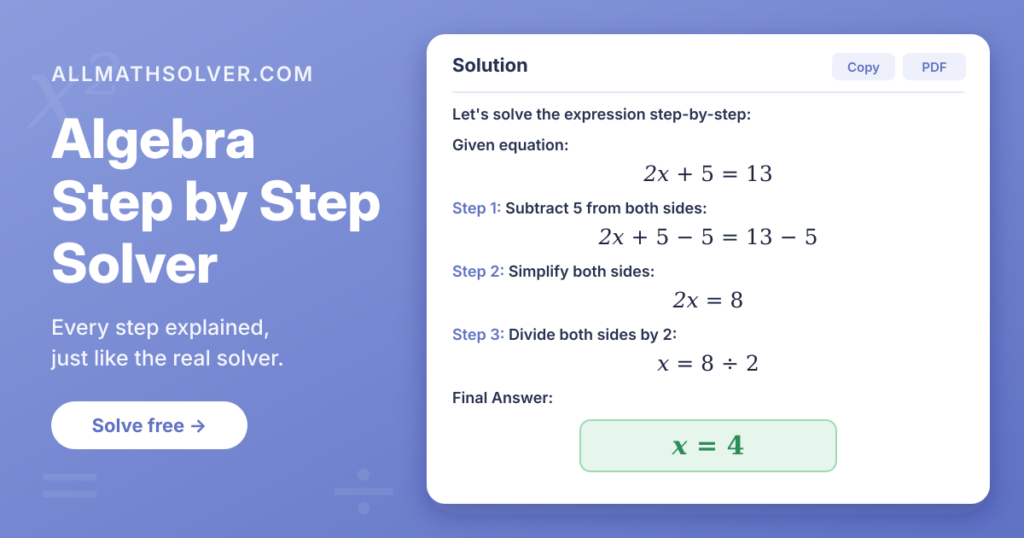
Algebra Step by Step Solver: Stop Guessing, Start Seeing the Steps
You know that feeling. It’s 11 pm, the homework is due tomorrow, and one equation has been staring back at you for twenty minutes. You get an answer, but you have no idea if it’s right. The textbook only prints answers for the odd-numbered questions, and of course yours is even.
That’s exactly the problem an algebra step by step solver fixes. It doesn’t just hand you x = 17 and walk away. It shows you how it got there, one line at a time, so you can spot the exact place your own working went off track.
Below I’ll show you how to use the free solver on All Math Solver, and then we’ll work through five problems together, the same way the solver would.
Why the steps matter more than the answer
Here’s something a lot of students find out too late. In most exams, the final answer is worth maybe one mark. The working is worth the rest.
GCSE, A-level, CBSE, SAT, it doesn’t really matter which. Examiners want to see your method. Write “x = 4” with nothing above it and you could lose most of the marks, even though you’re right.
So a tool that only gives answers is kind of useless for learning. You need to see the moves. Expand the bracket. Collect the x’s. Move the number across. Divide. Once you’ve seen that pattern a few times, you start doing it without thinking.
How to use the solver (it takes about 10 seconds)
Go to allmathsolver.com. The solver is right there on the home page, no menus to dig through.
Type your equation in the box. If you’re not sure how to type a square or a square root, there’s a symbol keyboard built in. Too lazy to type? Fair enough. Just take a photo of the question from your book or worksheet and upload it.
Hit solve. You’ll get the answer at the bottom and every step above it, with a short note explaining what happened at each line.
You don’t need an account. But if you sign in with Google or email, it remembers your past problems, which is handy when you want to look back at something before a test. You can also install it on your phone like an app, so it’s there when you’re revising on the bus.
Let’s solve some problems
I picked five types of questions that come up all the time. Try each one yourself first, then check against the steps.
1. A linear equation with brackets
3(x − 4) + 2 = 2x + 7
First, get rid of the bracket. Multiply the 3 into both terms inside, so you get 3x − 12 + 2 = 2x + 7.
Tidy up the left side: −12 + 2 is −10. Now it’s 3x − 10 = 2x + 7.
You want all the x’s on one side. Take 2x away from both sides and you’re left with x − 10 = 7.
Add 10 to both sides. x = 17.
Always check it. Put 17 back in: 3(13) + 2 = 41 on the left, 34 + 7 = 41 on the right. They match, so we’re good.
2. Simplifying an expression
4x + 3y − 2x + 5y − 6
There’s no equals sign here, so we’re not solving for anything. We’re just cleaning it up.
Put the x’s together: 4x − 2x leaves 2x. Then the y’s: 3y + 5y is 8y. The −6 has nothing to combine with, so it stays.
Answer: 2x + 8y − 6. That’s it.
3. An equation with fractions
x/3 + x/4 = 7
Fractions scare people, but the trick is simple: get rid of them. Find a number that both 3 and 4 go into. That’s 12. (For uglier numbers, our LCM Calculator will find it for you.)
Multiply every single term by 12. x/3 becomes 4x, x/4 becomes 3x, and 7 becomes 84. So 4x + 3x = 84.
That’s 7x = 84. Divide by 7 and x = 12.
4. A quadratic you can factor
x² − 5x + 6 = 0
You’re looking for two numbers that multiply to give 6 and add to give −5. Think about it for a second… −2 and −3 work.
So the equation becomes (x − 2)(x − 3) = 0.
If two things multiply to make zero, one of them has to be zero. So either x − 2 = 0 or x − 3 = 0, which means x = 2 or x = 3.
Not every quadratic factors this nicely. When it doesn’t, the Quadratic Equation Calculator uses the formula and shows the working.
5. Two equations at once
x + y = 10 and x − y = 4
Notice that one has +y and the other has −y. If you add the two equations together, the y’s cancel out completely. You get 2x = 14, so x = 7.
Now put 7 back into the first equation: 7 + y = 10, so y = 3.
x = 7, y = 3. Quick check with the second equation: 7 − 3 = 4. Yep.
What else can you throw at it?
Pretty much anything you’d see in school algebra:
| Type of problem | Try typing something like |
|---|---|
| Linear equations | 5x − 3 = 2x + 9 |
| Simplifying | 3(a + 2b) − a |
| Fractions | (x + 1)/2 = 5 |
| Quadratics | 2x² + 3x − 2 = 0 |
| Simultaneous equations | 2x + y = 7, x − y = 2 |
| Factorising | x² − 9 |
| Inequalities | 4x + 1 > 9 |
| Ratios | x/6 = 4/12 (Proportion Calculator) |
And when you get to calculus later on, the same Math Solver does derivatives, integrals and limits too.
A few honest tips
Don’t open the solver first. I know it’s tempting. Have a go yourself, even if you get it wrong, and then compare. You’ll remember your mistake far better than you’d remember a correct answer you just copied.
Most errors come from two places: forgetting to do the same thing to both sides, and losing a minus sign. When you expand −(x − 3), it’s −x + 3. People write −x − 3 all the time.
And please, check your answers by putting them back in. It takes fifteen seconds and catches so many silly mistakes.
Last thing. Ten questions a day for a week will do more for you than seventy questions the night before. Algebra is a habit more than a talent.
Questions people ask
Is it actually free? Yes, completely. No trial, no paywall after three questions. Signing in is optional and only saves your history.
Can it read my handwriting? It can read photos of printed and handwritten questions. Neat handwriting and good lighting help, obviously.
Can I copy the steps into my exam answers? You can’t use it in the exam itself, but the steps are laid out the way teachers expect. Learn the method from it and you’ll be writing the same working on your own.
What level is it for? Anyone from early high school up to first-year university. That covers GCSE, A-level, SAT, AP, CBSE and JEE algebra.
Does it work on my phone? Yes. Open it in your browser, or install it as an app on Android or iPhone.
Give it a try
Next time you’re stuck on an equation, don’t just guess and move on. Put it into the algebra step by step solver, read through the steps, and figure out where you went wrong. That’s how it starts to make sense.